Size Chart
Enhance includes built-in Size Chart support directly within the Variant Picker block.
Size charts can be displayed next to a specific variant option, allowing customers to access sizing information without leaving the product page.
Configuring a Size Chart
Navigate to:
Online Store → Themes → Customize → Product Template
Open the Variant Picker block.
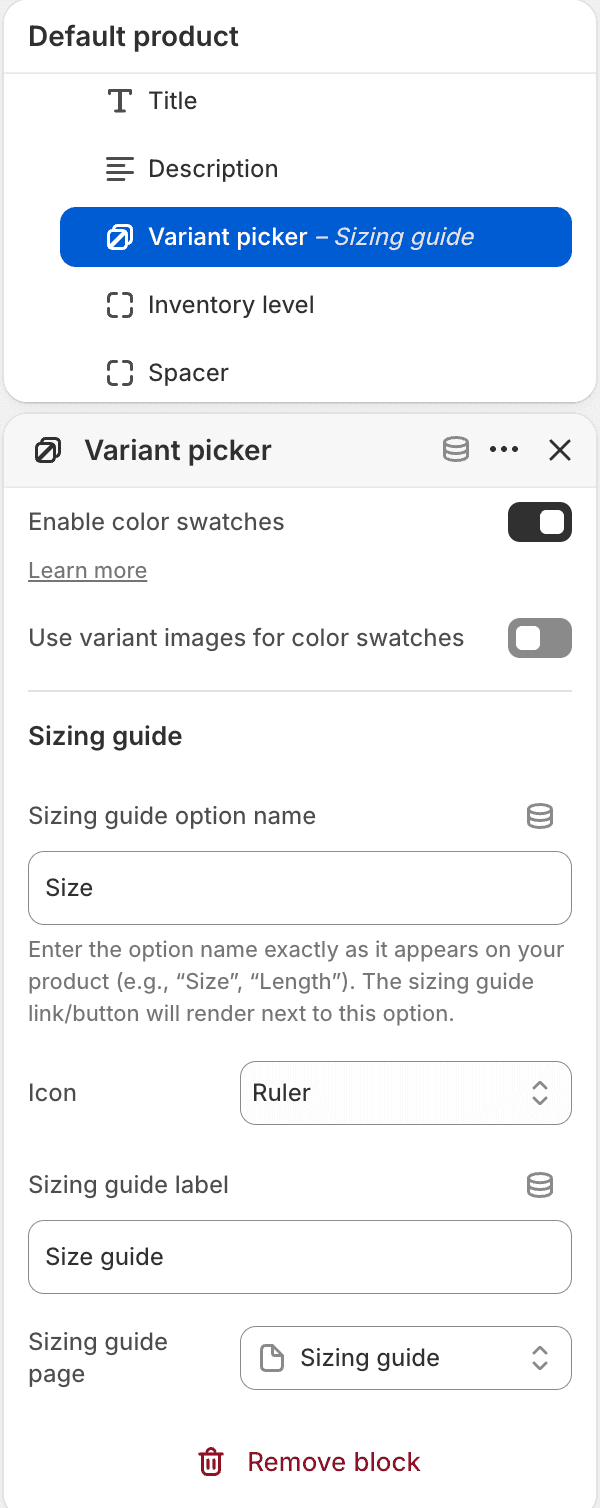
Sizing Guide Option Name
Enter the variant option name that should display the size guide link.
Examples:
Size
Length
Waist
The value must match the option name exactly as it appears on the product.