Advanced Variant Selectors
Advanced Variant Selectors allow you to group separate products together and display them as selectable options on the product page.
This feature is useful when products are managed as separate Shopify products but should appear as part of the same product family. Common examples include:
Different colors
Different materials
Different fabrics
Different styles
When a customer selects an option, they are automatically redirected to the corresponding product page.
[INSERT IMAGE: Product page showing Advanced Variant Selectors]
How It Works
Advanced Variant Selectors rely on three product metafields:
Metafield | Purpose |
Variant Collection | Defines which products belong to the same group. |
Variant Label | Defines the option name displayed on the storefront. |
Variant Option | Defines the option value for each individual product. |
All grouped products must share the same Variant Collection and Variant Label values.
The Variant Option value should be unique for each product within the group.
Example
Product | Variant Collection | Variant Label | Variant Option |
High-Waisted Jeans - Blue | high-waisted-jeans | Color | Blue |
High-Waisted Jeans - Black | high-waisted-jeans | Color | Black |
High-Waisted Jeans - Dark Blue | high-waisted-jeans | Color | Dark Blue |
This configuration will display a selector on the storefront with the options:
Color: Blue
○ Blue
○ Black
○ Dark Blue
Step 1: Configure the Product Metafields
Each product within the group must contain the following metafield values.
Variant Collection
The Variant Collection value must match the handle of the collection that contains all grouped products.
Example:
high-waisted-jeans
Important: If the Variant Collection value does not match an existing collection handle, the Advanced Variant Selector will not appear on the storefront.
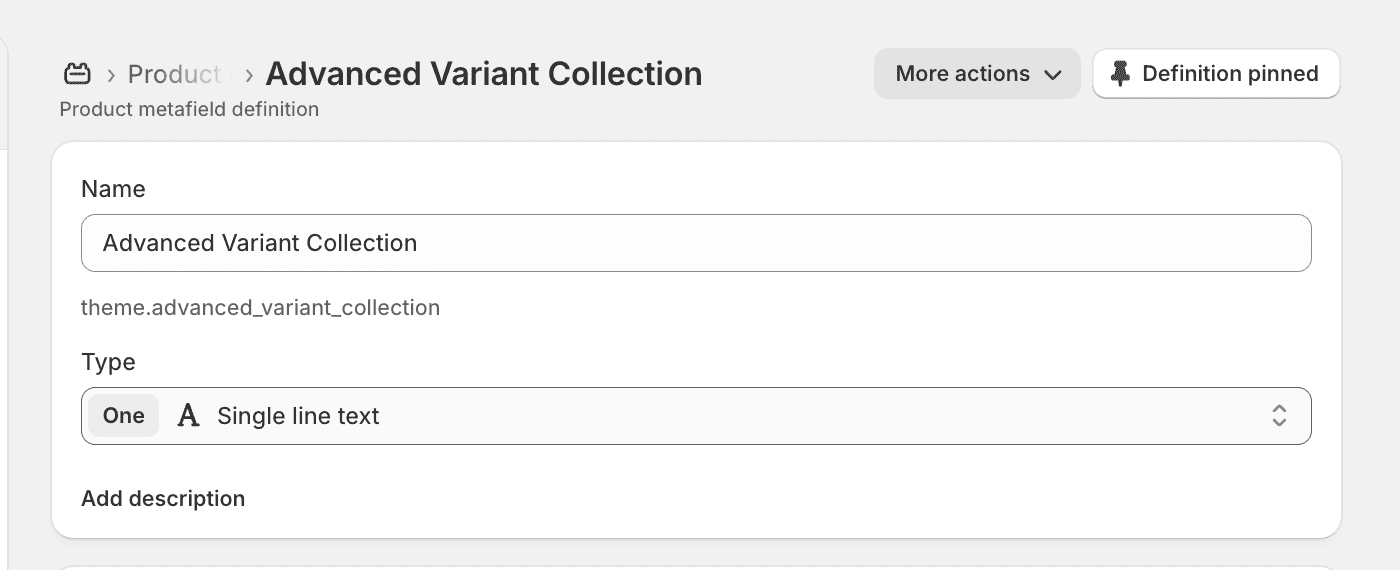
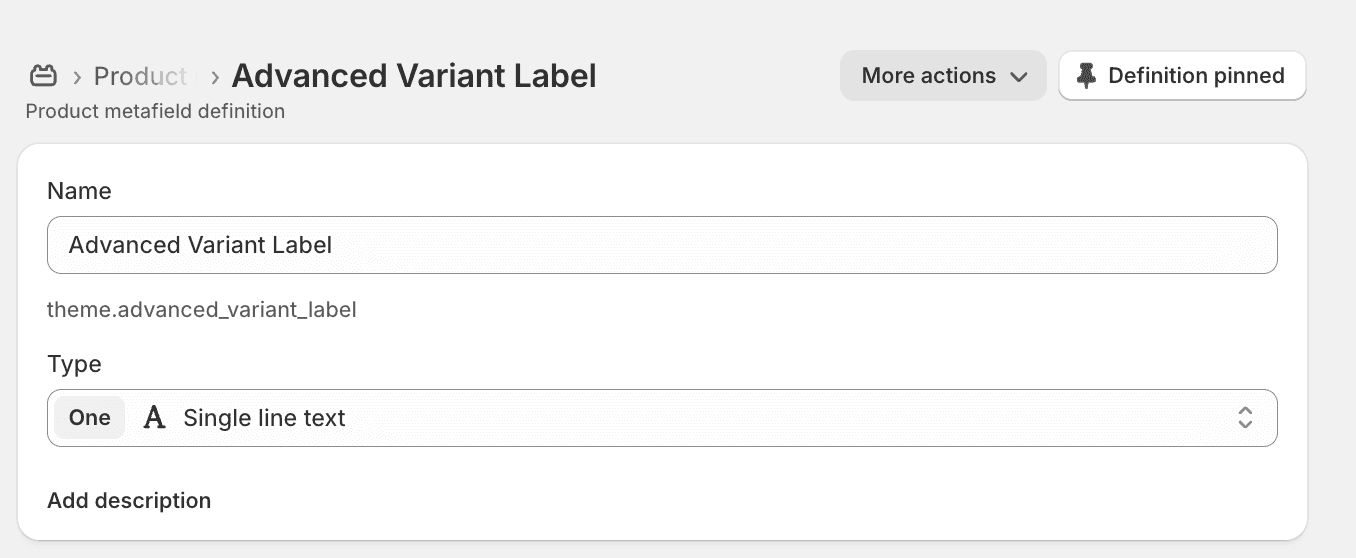
Variant Label
The Variant Label controls the option name displayed above the selector.
Examples:
Color
Material
Fabric
Style
Finish
All products within the same group should use the same Variant Label value.
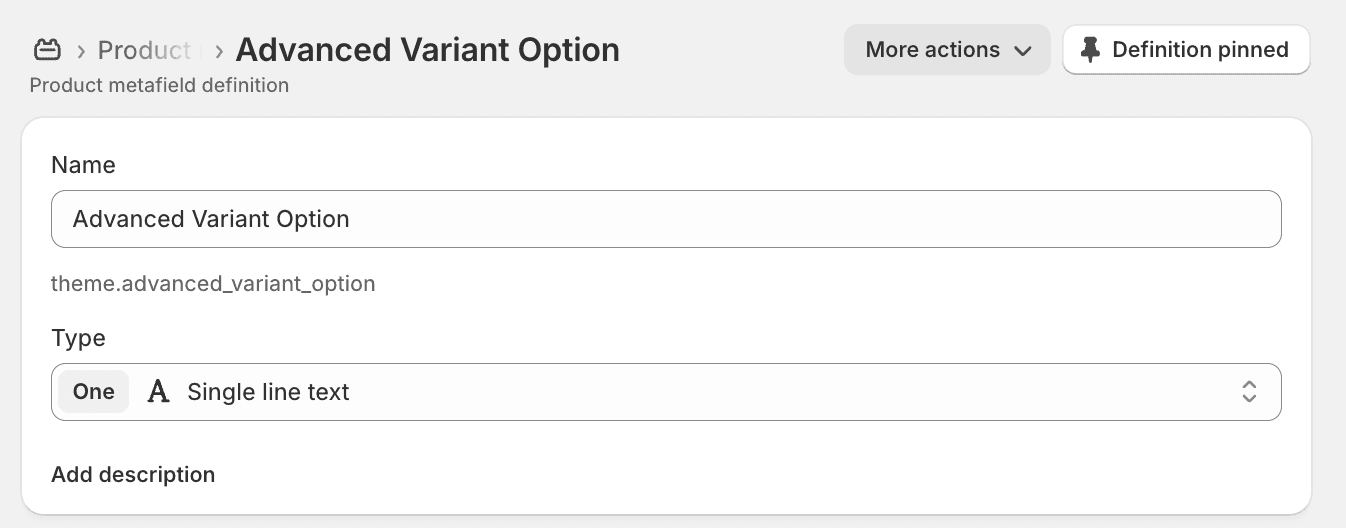
Variant Option
The Variant Option controls the value displayed for each individual product.
Examples:
Blue
Black
Dark Blue
Each grouped product should have its own unique Variant Option value.
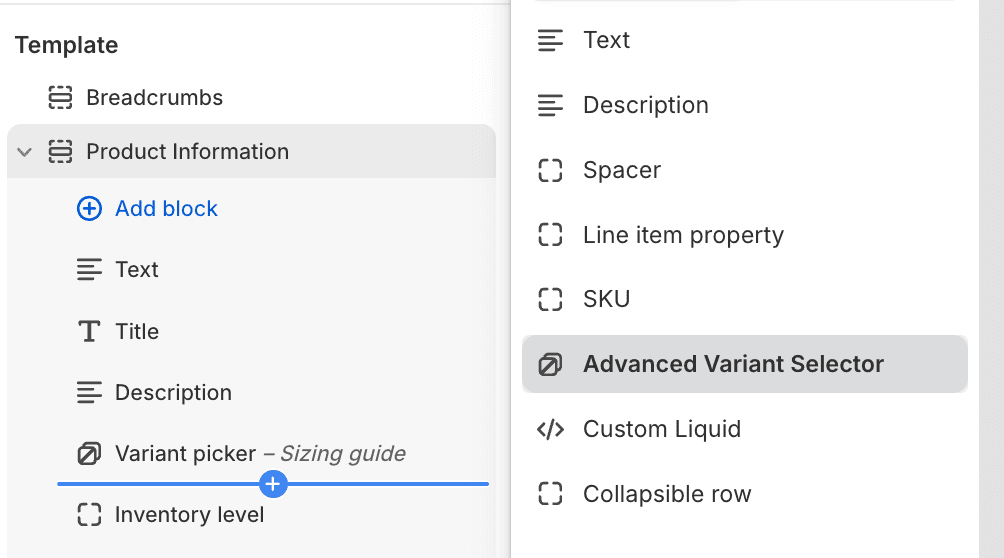
Step 2: Add the Advanced Variant Selector Block
Open the Theme Editor and navigate to your product template.
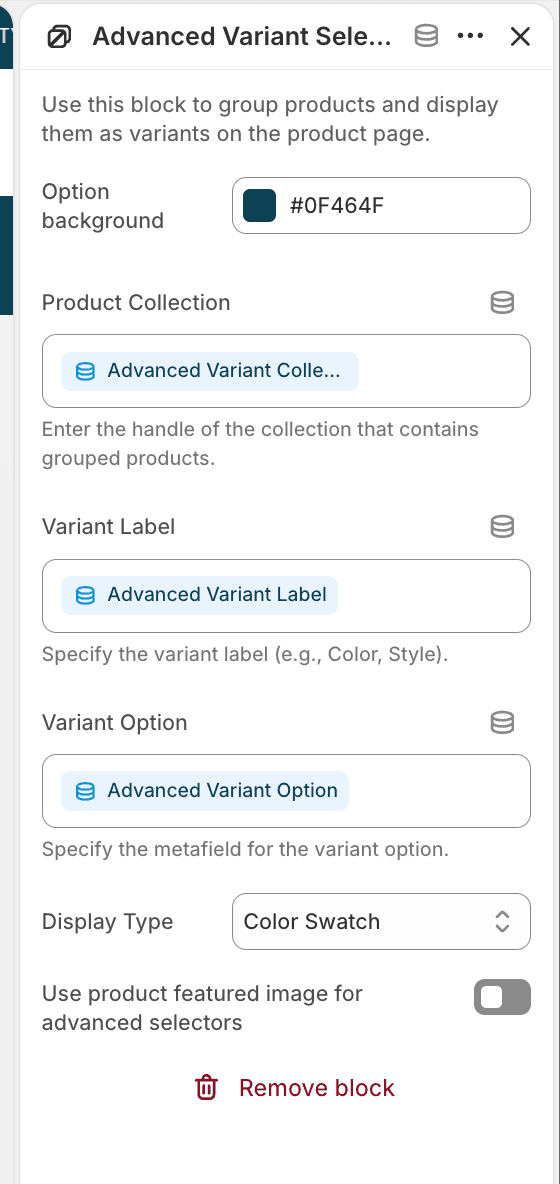
Under the Product Information section, add the Advanced Variant Selector block.
Step 3: Connect the Metafields
Within the Advanced Variant Selector block settings, connect each field to its corresponding metafield:
Block Setting | Connected Metafield |
Collection | Variant Collection |
Label | Variant Label |
Selected Option | Variant Option |
Once connected, the selector will automatically display all products belonging to the same group.
Display Types
The Advanced Variant Selector supports multiple display styles:
Color Swatches
Ideal for colors, finishes, and visual options.
Buttons
Ideal for fabrics, materials, and styles.
Dropdown
Ideal for large groups with many options.
Best Practices
Keep all grouped products inside the same collection.
Use the exact collection handle in the Variant Collection metafield.
Use the same Variant Label across all products in the group.
Use unique Variant Option values for each product.
Use color swatches for color-based groupings and buttons for non-visual options.
Troubleshooting
The selector is not appearing
Verify that:
The Advanced Variant Selector block has been added to the Product Information section.
The Variant Collection value matches an existing collection handle.
The collection contains multiple products.
The metafields have been connected to the block settings.
Products are missing from the selector
Verify that all products:
Belong to the same collection.
Share the same Variant Collection value.
Share the same Variant Label value.
The wrong option is selected
Verify that each product has its own unique Variant Option value.