Shop the Look Section
The Shop the Look section allows you to showcase multiple products within a single lifestyle or editorial image using interactive hotspots.
Customers can click or tap hotspots to view product information and quickly add products to their cart, creating a more engaging shopping experience.
Adding Products
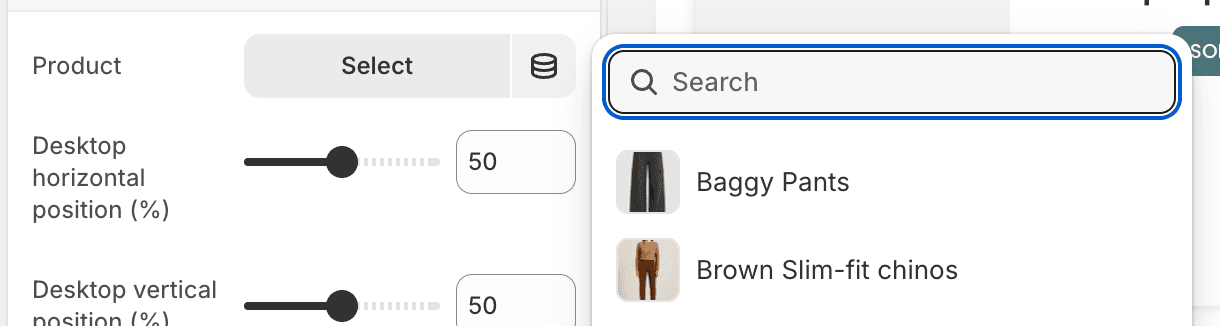
Products are added using Hotspot blocks inside the Shop the Look section.
Each Hotspot block is connected to a single product.
Positioning Hotspots
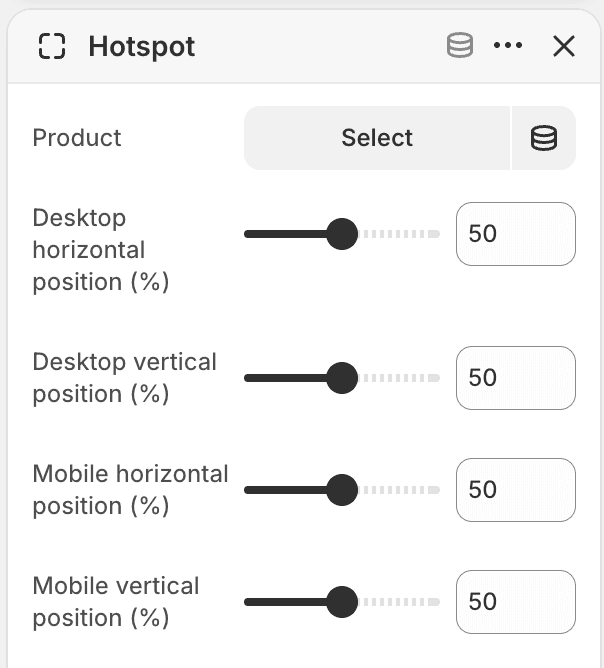
Each hotspot can be positioned independently on desktop and mobile devices.
Available settings:
Desktop horizontal position (%)
Desktop vertical position (%)
Mobile horizontal position (%)
Mobile vertical position (%)
These values use percentages, allowing you to place hotspots precisely over products within the image.