Header Layouts
Enhance includes three desktop header layouts, allowing you to choose the navigation structure that best matches your brand and storefront design.
You can change the header layout at any time from the Theme Editor.
Navigate to:
Online Store → Themes → Customize → Header
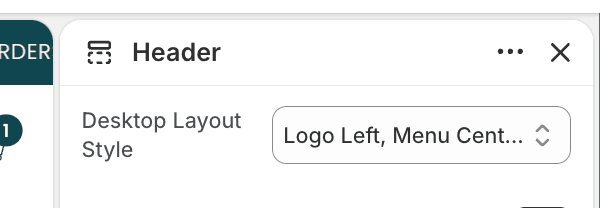
Available Layouts
Logo Left, Menu Center
The logo is positioned on the left side of the header, while the navigation menu is centered.
This layout creates a balanced appearance and works well for most fashion, apparel, and lifestyle stores.
Best for:
Large catalogs
Brands with longer navigation menus
Stores focused on product discovery

Logo Center, Menu Left
The logo is positioned in the center of the header, with navigation displayed on the left side.
This layout creates a more editorial and premium look, placing greater emphasis on brand identity.
Best for:
Fashion brands
Luxury brands
Editorial storefronts
Brands with shorter navigation menus

Logo Left, Menu Left
Both the logo and navigation are aligned to the left side of the header.
This layout maximizes available space and creates a more traditional storefront navigation experience.
Best for:
Large catalogs
Multi-level navigation
Stores with extensive menu structures
