Mega Menus
Mega Menus allow you to enhance your main navigation by displaying links alongside promotional content, helping customers discover collections, products, and campaigns more efficiently.
Mega Menus are particularly useful for stores with larger catalogs and can be configured directly from the Header section.
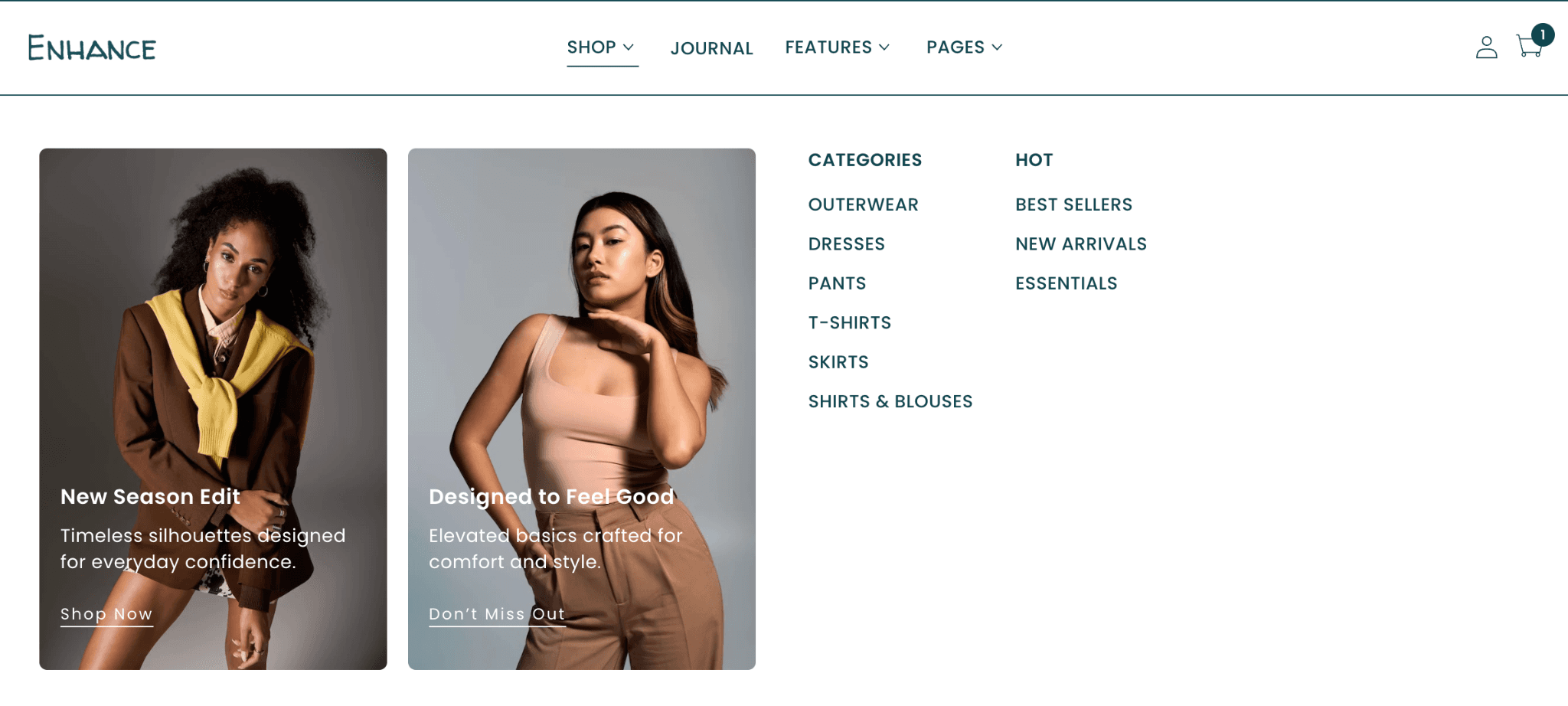
Creating a Mega Menu
Mega Menus are created using Mega Menu blocks inside the Header section.
Navigate to:
Online Store → Themes → Customize → Header
Click Add Block → Mega Menu.
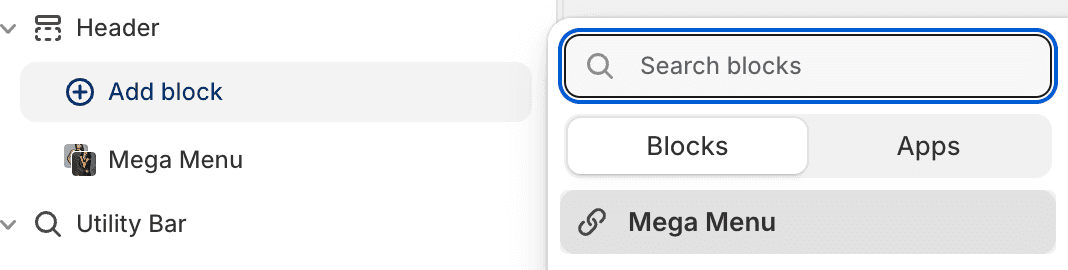
Once added, the Mega Menu can be assigned to a specific navigation item within your main menu.
Mega Menu Position
The Mega Menu Position setting determines which navigation item will display the Mega Menu.
Rather than selecting a menu item by name, Mega Menus are assigned based on their position within the main navigation.
For example:
Position 1 = First menu item
Position 2 = Second menu item
Position 3 = Third menu item
If your main navigation contains:
Women
Men
Accessories
Sale
Selecting Position 1 will attach the Mega Menu to Women.
Selecting Position 2 will attach the Mega Menu to Men.
Selecting Position 3 will attach the Mega Menu to Accessories.
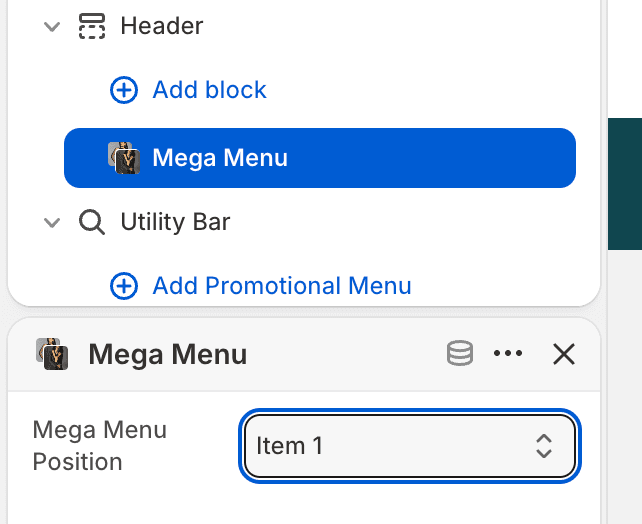
Important: The Menu Item Position must correspond to an existing navigation item within your main menu. If the selected position does not exist, the Mega Menu will not be displayed.
Best Practices
Use Mega Menus for your most important navigation items.
Assign Mega Menus to top-level menu items with multiple collections or categories.
Review your navigation structure before assigning Menu Item Positions.
If menu items are reordered, remember to update the corresponding Mega Menu positions.
Troubleshooting
My Mega Menu is not appearing
Verify that:
A Mega Menu block has been added to the Header section.
The Menu Item Position matches an existing navigation item.
The selected navigation item exists within your main menu.
The Mega Menu block has been configured correctly.
My Mega Menu is appearing under the wrong menu item
This usually means the Menu Item Position no longer matches your current navigation order.
Review your main menu structure and update the Menu Item Position setting accordingly.